
GSE Smart IPTV Setup Guide
GSE Smart IPTV is a versatile player for iOS and Android with support for multiple playlist formats.
5 minutes
Medium
Supported Devices: iOS Android
Step-by-Step Instructions
1
Download GSE Smart IPTV
Install GSE Smart IPTV from the App Store or Google Play Store.
2
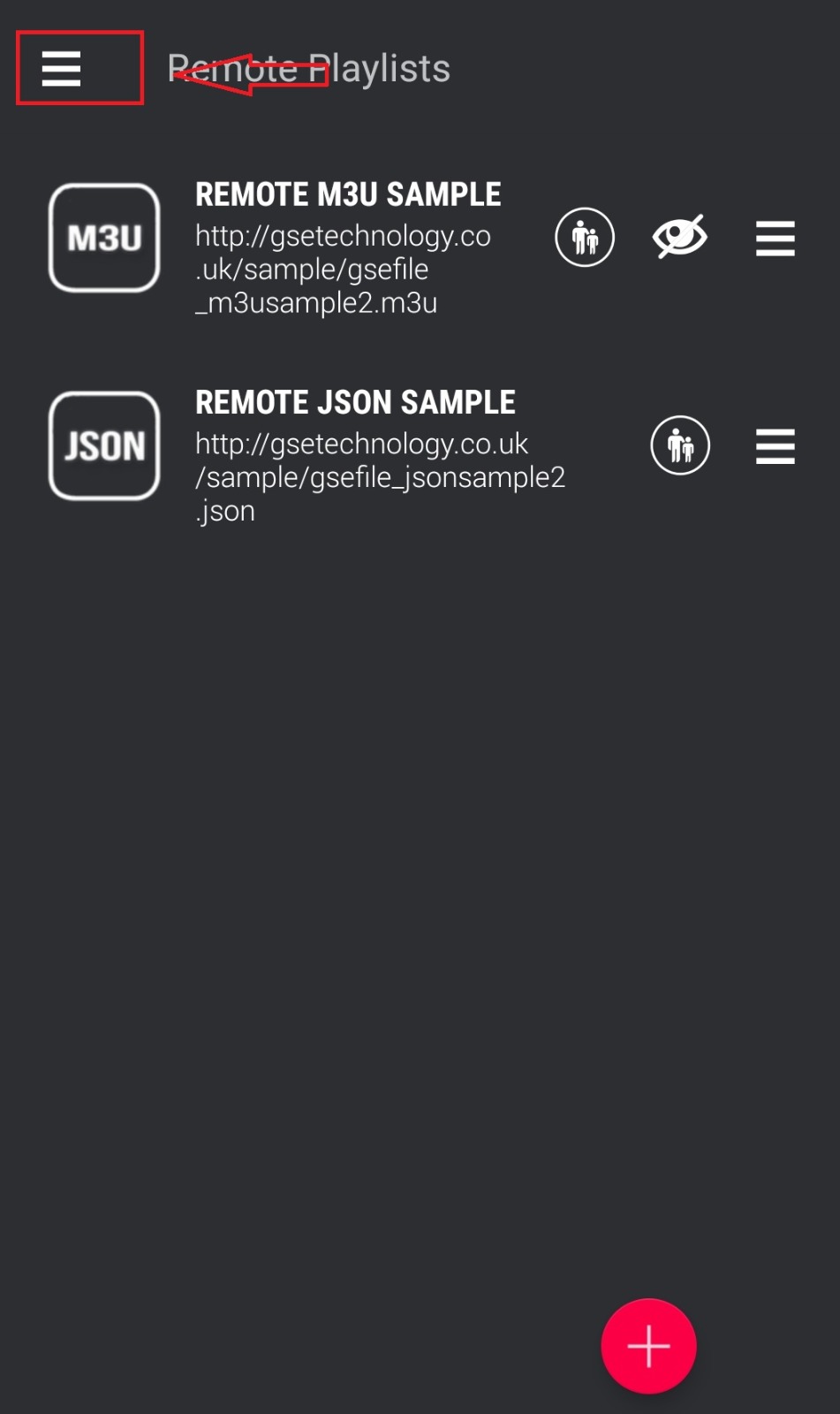
Open Remote Playlist
Tap the hamburger menu (☰) and select "Remote Playlists".
3
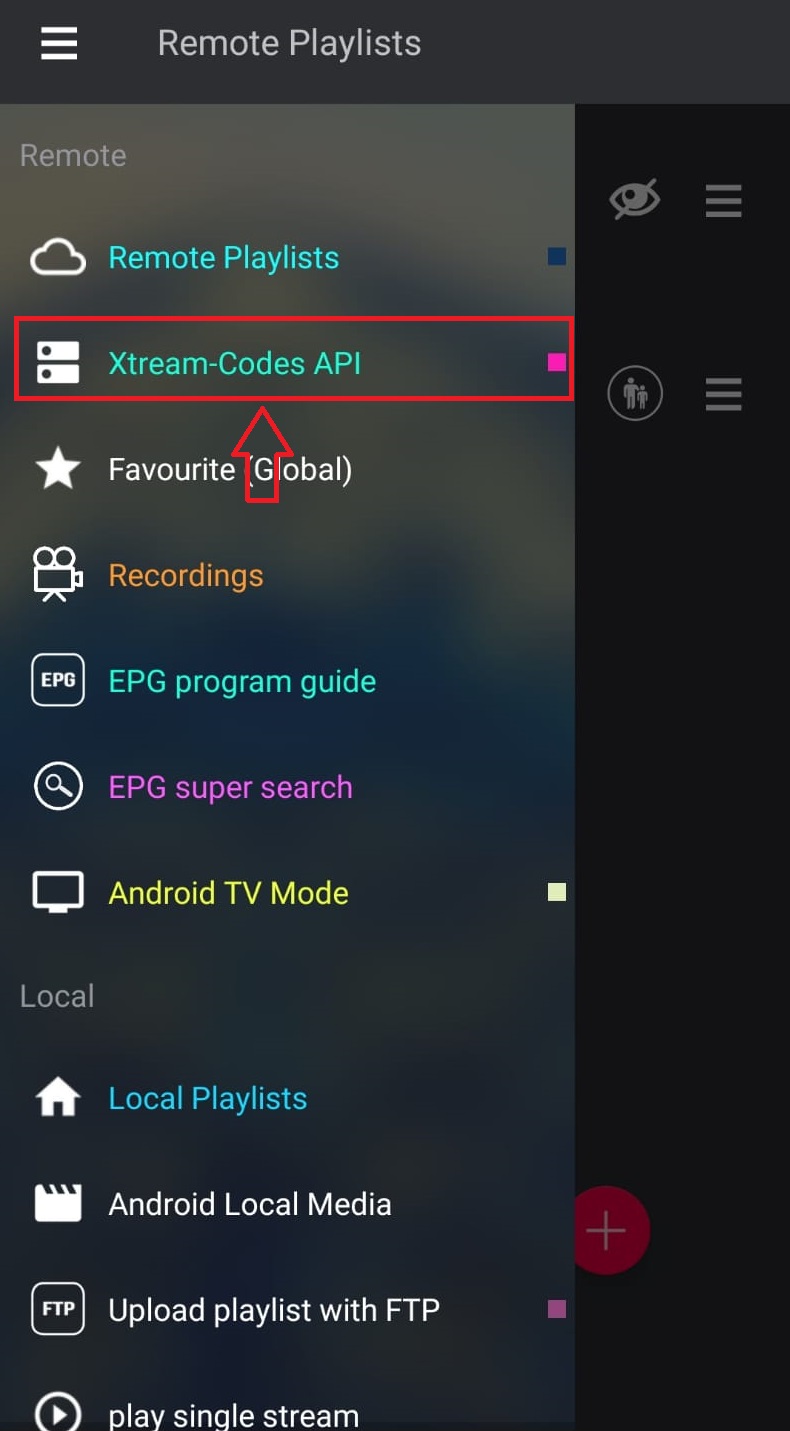
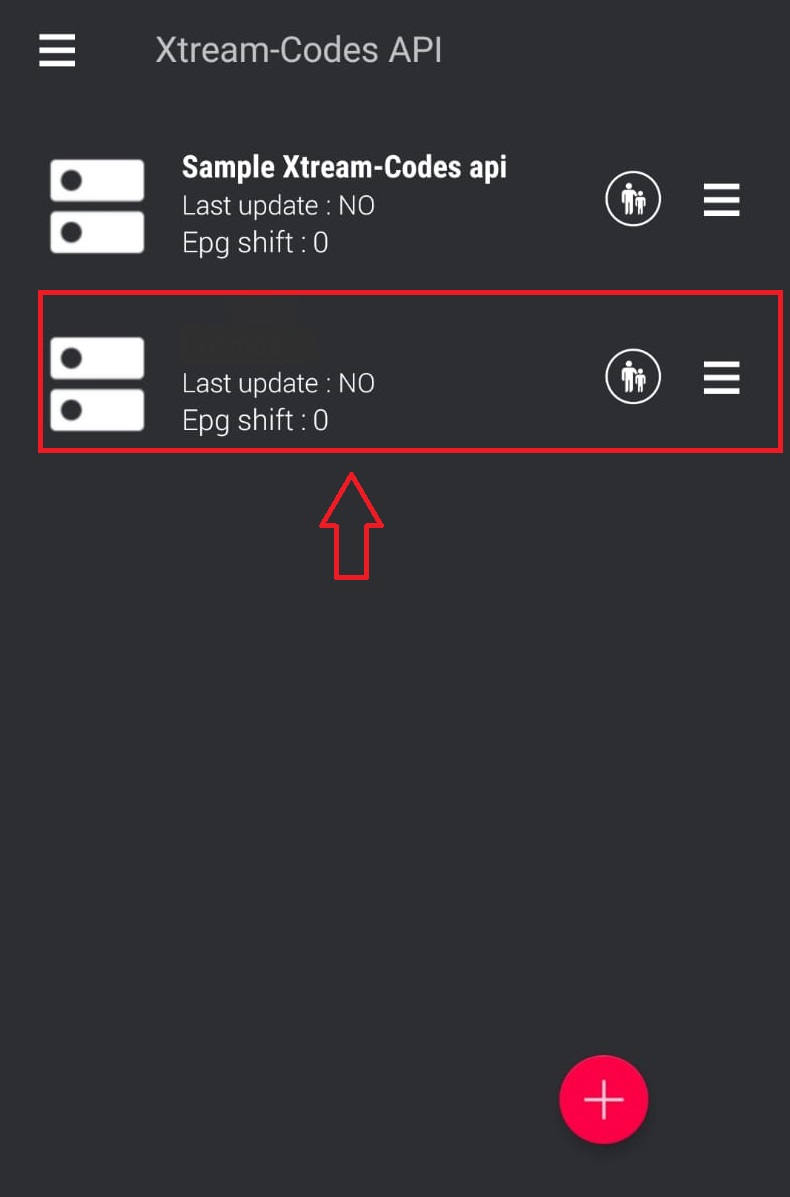
Add Xtream Codes API
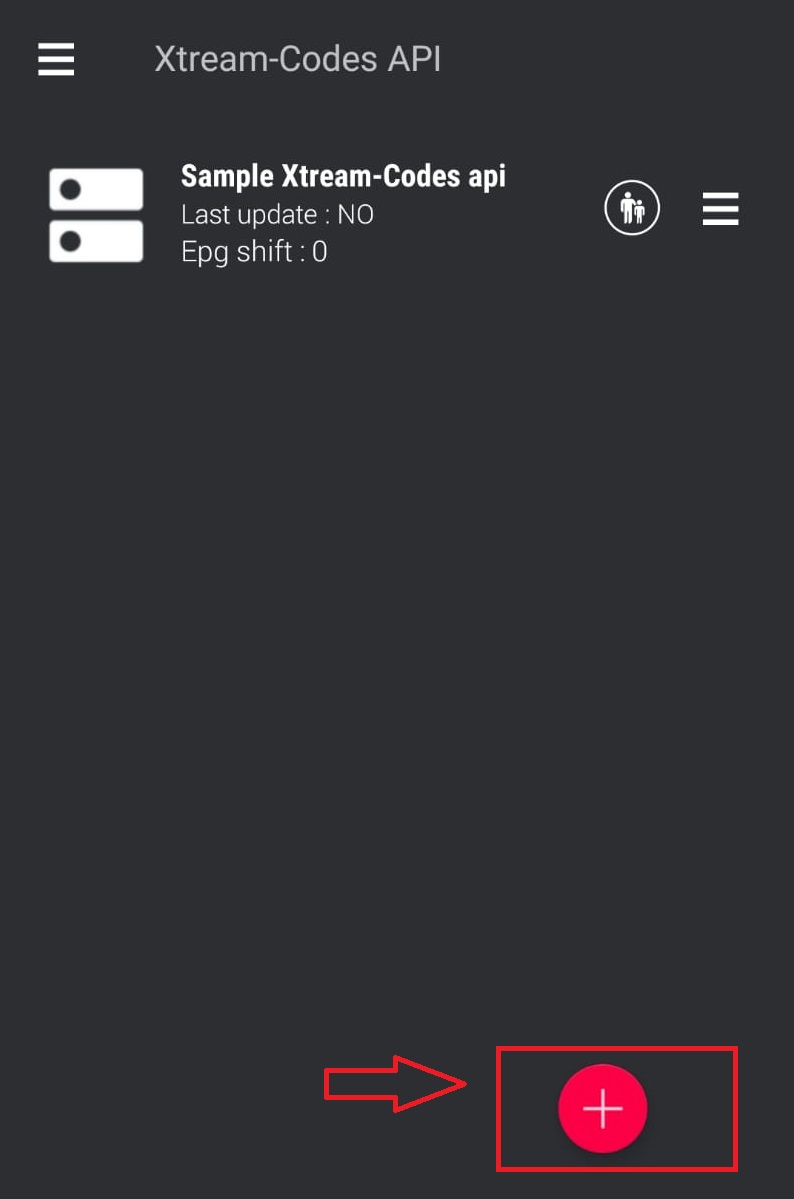
Tap the "+" icon and select "Xtream Codes API".
4
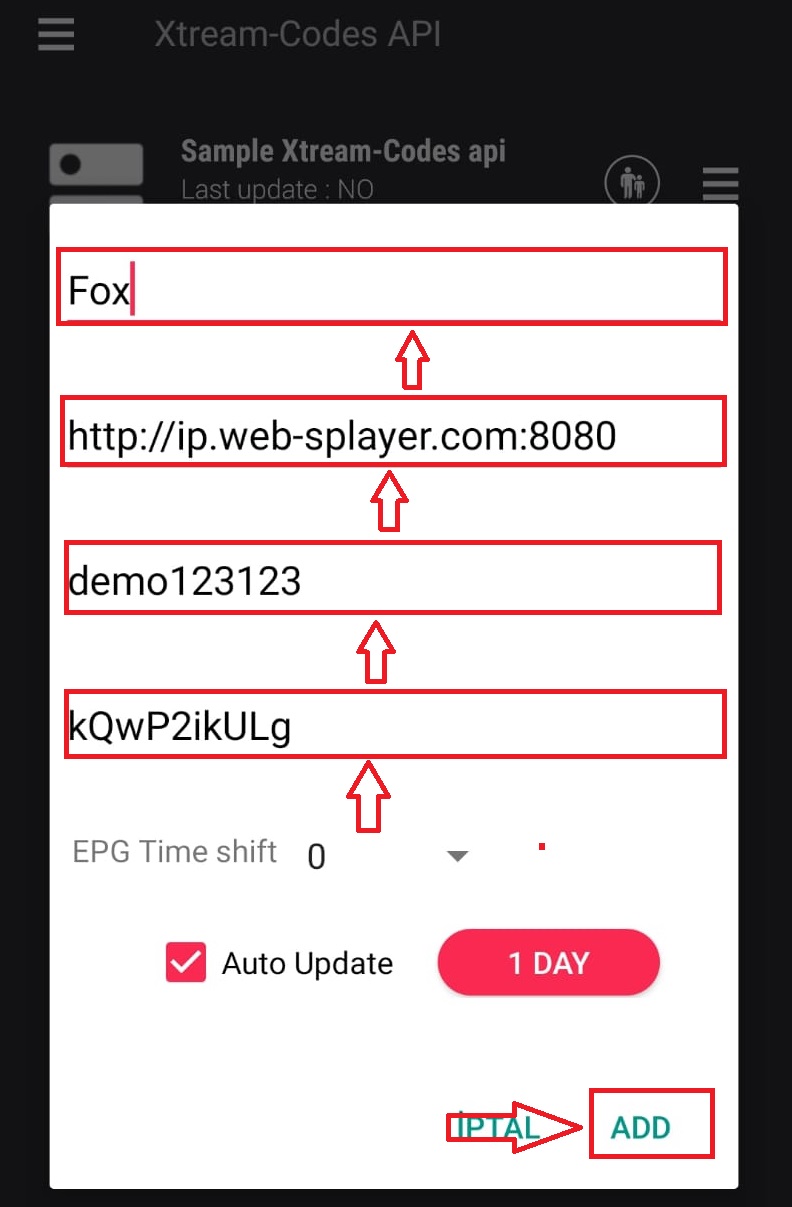
Enter Server Details
Enter your server URL, username, and password. Give it a name like "Fox IPTV".
5
Configure Connection
Fill in your Xtream Codes credentials from the welcome email.
6
Load Channels
Tap to connect. The app will download your channel list and EPG data.
Setup Complete!
Your GSE Smart IPTV is now configured with Fox IPTV. Enjoy watching your favorite channels and content!
Need Help?
Our support team is available 24/7 to help you with the setup.


Don't Have a Subscription Yet?
Get started with a 24-hour free trial and experience premium IPTV on your GSE Smart IPTV.