
IPTV Smarters Pro Setup Guide
IPTV Smarters Pro is the most popular IPTV app for Android, iOS, and smart TVs with support for Xtream Codes API.
Step-by-Step Instructions
Download the App
Download IPTV Smarters Pro from the Google Play Store, Apple App Store, or from the official website.
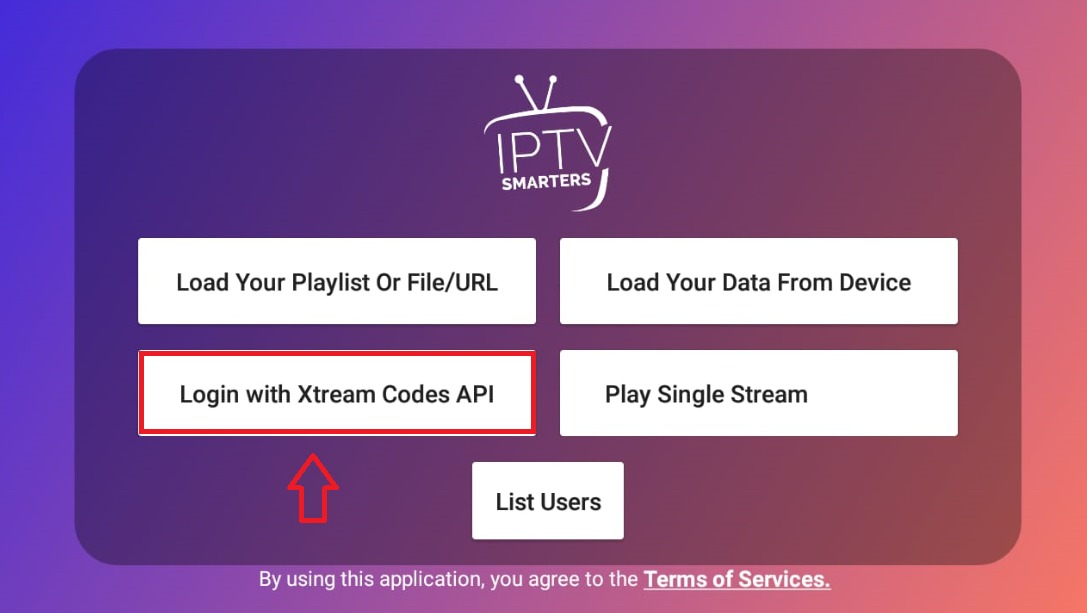
Select Login Type
Open the app and select "Login with Xtream Codes API" as your login method.
Enter Your Credentials
Enter the following details from your welcome email: • Name: Fox IPTV • Username: Your username • Password: Your password • URL: Your server URL
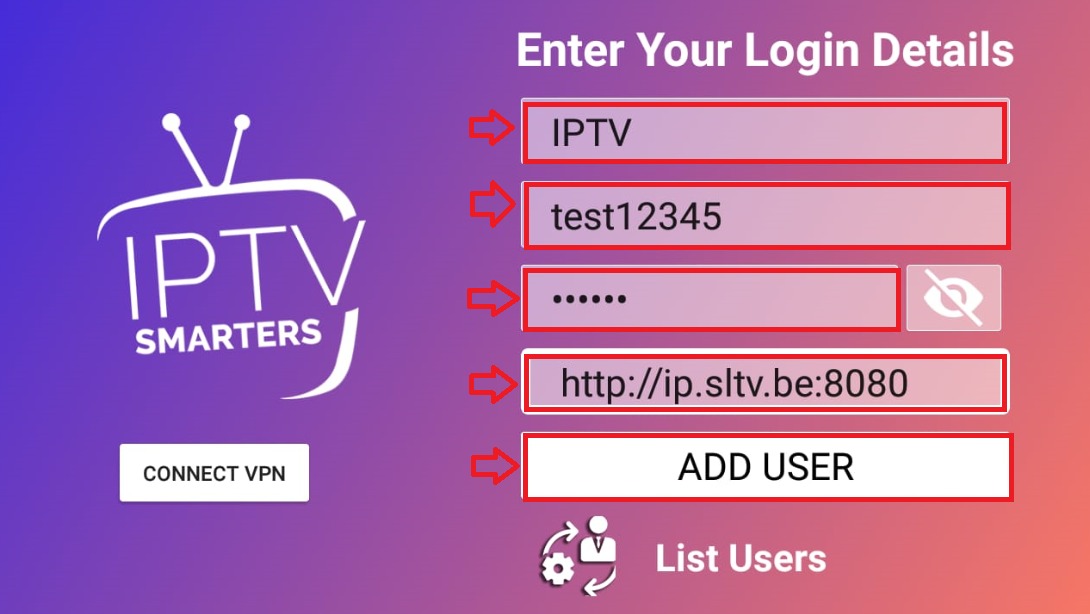
Add User
Click "Add User" to save your credentials and connect to the server.
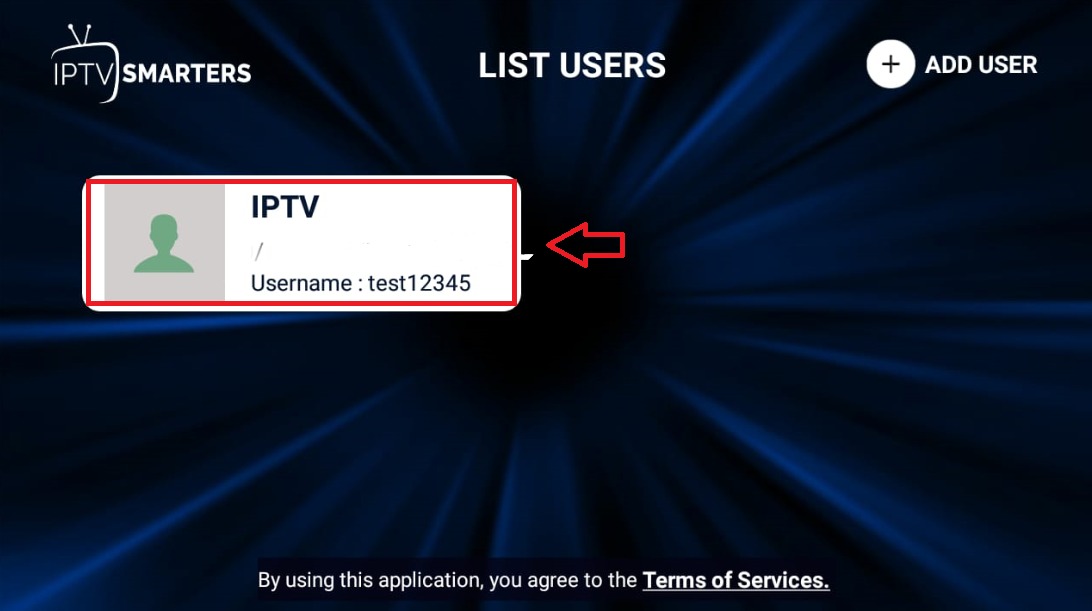
Start Watching
Select your profile from the main screen. Choose Live TV, Movies, or Series to start watching.
Setup Complete!
Your IPTV Smarters Pro is now configured with Fox IPTV. Enjoy watching your favorite channels and content!
Pro Tips
- Enable "Auto-start on boot" to launch the app automatically
- Use EPG (Electronic Program Guide) for channel listings
- External player option available for better compatibility
Need Help?
Our support team is available 24/7 to help you with the setup.


Don't Have a Subscription Yet?
Get started with a 24-hour free trial and experience premium IPTV on your IPTV Smarters Pro.