
VLC Media Player Setup Guide
VLC is a free, open-source media player that can play IPTV streams on Windows, Mac, and Linux.
Step-by-Step Instructions
Download VLC
Download and install VLC Media Player from videolan.org.
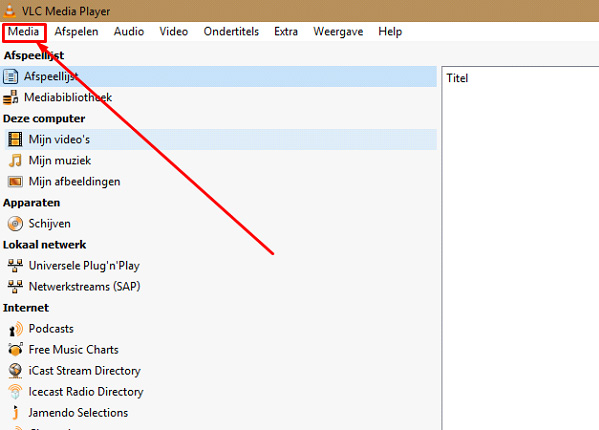
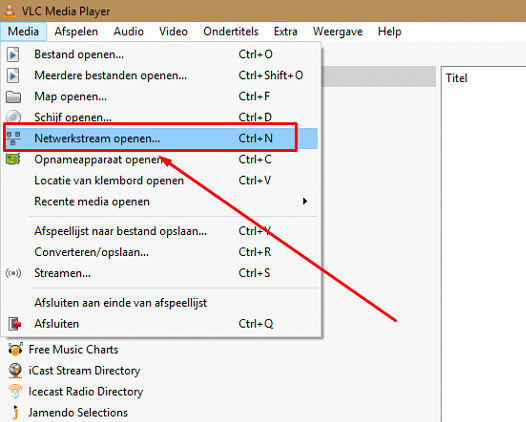
Open Network Stream
Open VLC and go to Media > Open Network Stream (Ctrl+N on Windows, Cmd+N on Mac).
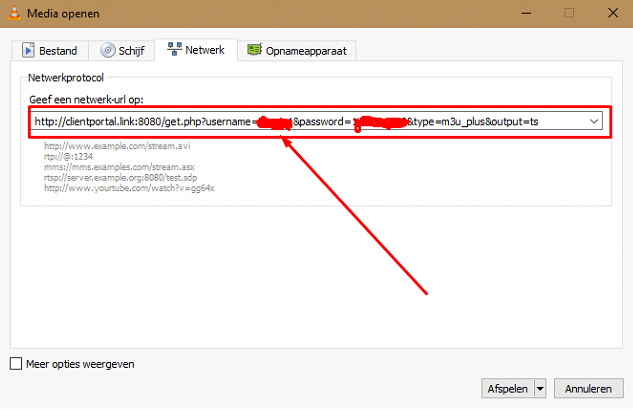
Enter M3U URL
Paste your M3U playlist URL from the welcome email into the network URL field.
Play
Click "Play" to start streaming. VLC will load the playlist and begin playing.
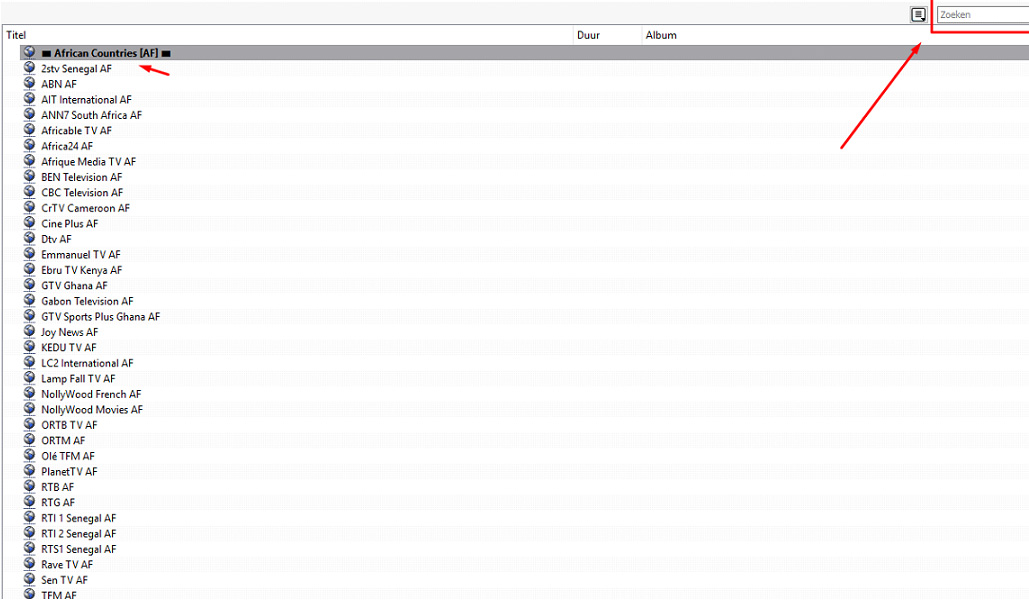
Browse Channels
Go to View > Playlist to see all available channels. Double-click any channel to watch.
Setup Complete!
Your VLC Media Player is now configured with Fox IPTV. Enjoy watching your favorite channels and content!
Pro Tips
- Use Ctrl+L to show/hide the playlist
- Increase network caching in Preferences for smoother playback
- VLC can record streams using the Record button
Need Help?
Our support team is available 24/7 to help you with the setup.
Quick Navigation




Don't Have a Subscription Yet?
Get started with a 24-hour free trial and experience premium IPTV on your VLC Media Player.