
Duplex IPTV Setup Guide
Duplex IPTV is a modern, feature-rich IPTV player with support for Xtream Codes, M3U, and Stalker portals.
10 minutes
Medium
Supported Devices: Android TV Amazon Fire TV iOS Apple TV
Step-by-Step Instructions
1
Install Duplex IPTV
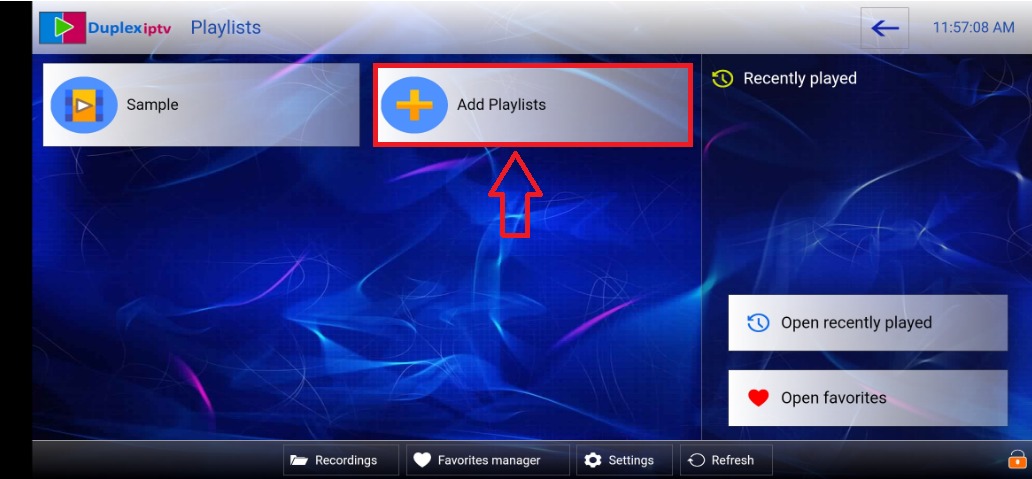
Download Duplex IPTV from your device's app store.
2
Activate Device
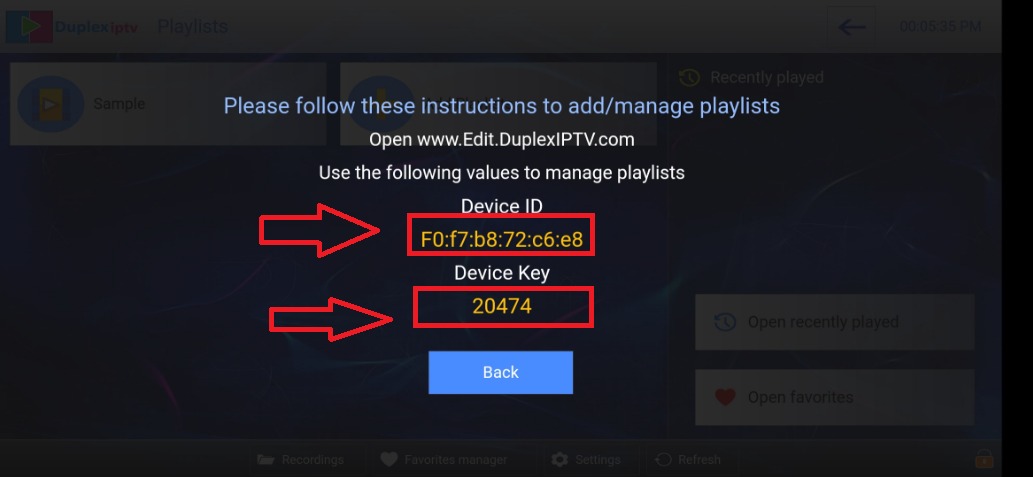
Open the app and note the Device ID and Key shown on screen.
3
Link Your Device
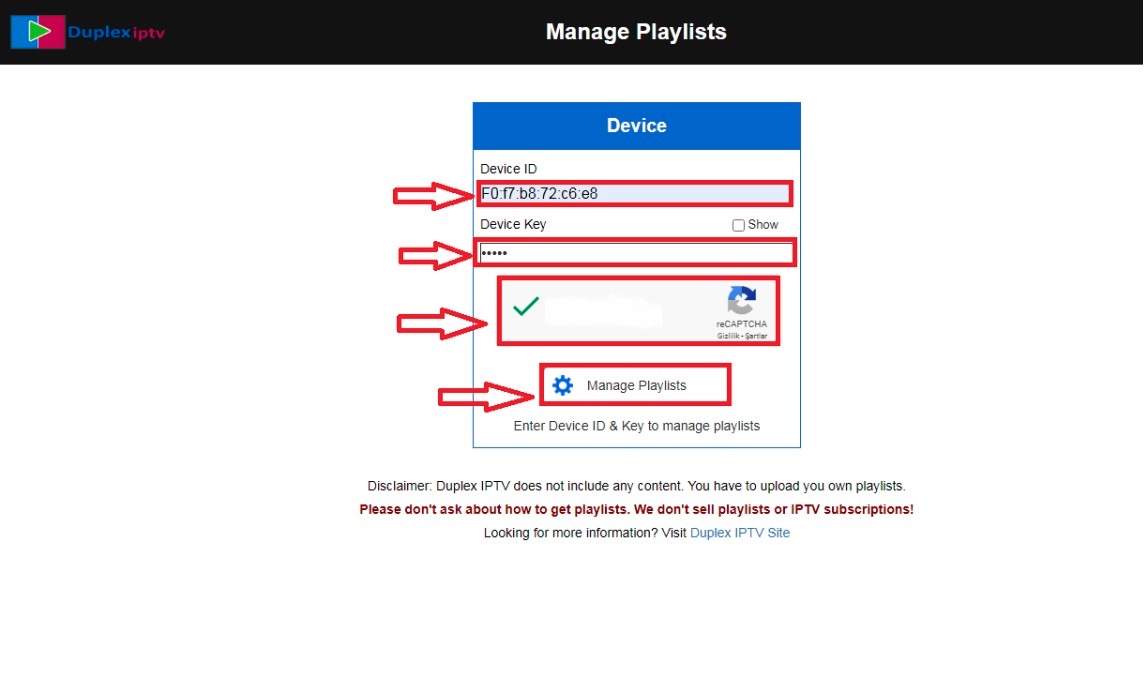
Visit https://play.duplexplay.com on your computer. Enter the Device ID and Activation Key.
4
Add Playlist
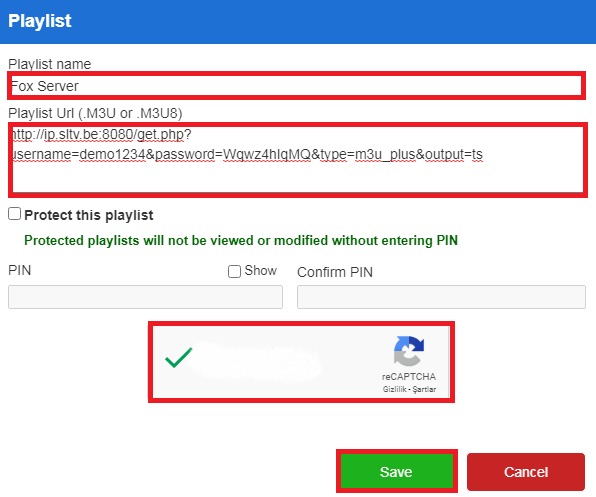
Select "Xtream Codes" and enter your username, password, and server URL from the welcome email.
5
Refresh App
Return to the app and refresh. Your playlist will be loaded.
Setup Complete!
Your Duplex IPTV is now configured with Fox IPTV. Enjoy watching your favorite channels and content!
Need Help?
Our support team is available 24/7 to help you with the setup.
Quick Navigation




Don't Have a Subscription Yet?
Get started with a 24-hour free trial and experience premium IPTV on your Duplex IPTV.