
SS IPTV Setup Guide
SS IPTV (Simple Smart IPTV) is a free app for Samsung and LG TVs with an easy playlist upload system.
10 minutes
Easy
Supported Devices: Samsung Smart TV LG Smart TV
Step-by-Step Instructions
1
Install SS IPTV
Download SS IPTV from your TV's app store. The app is completely free.
2
Get Access Code
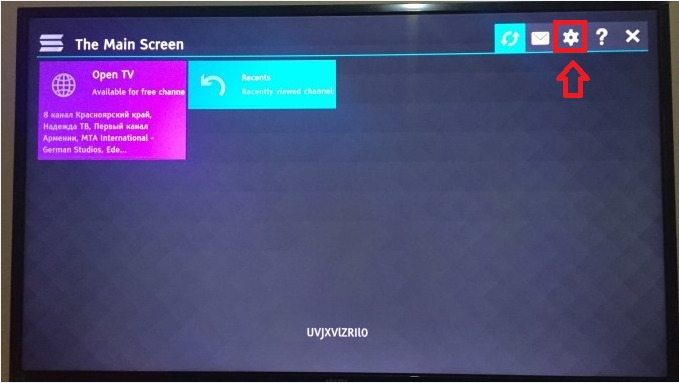
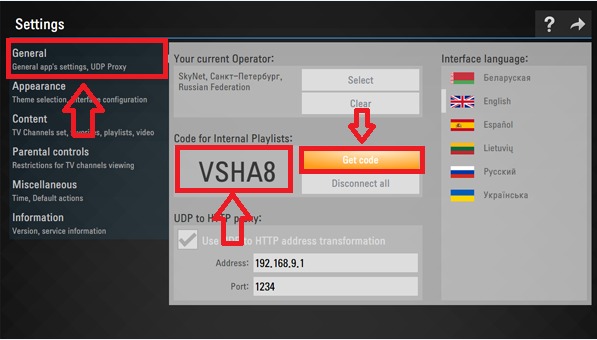
Open the app and go to Settings. Select "Get Code" to generate a one-time access code.
3
Upload Playlist
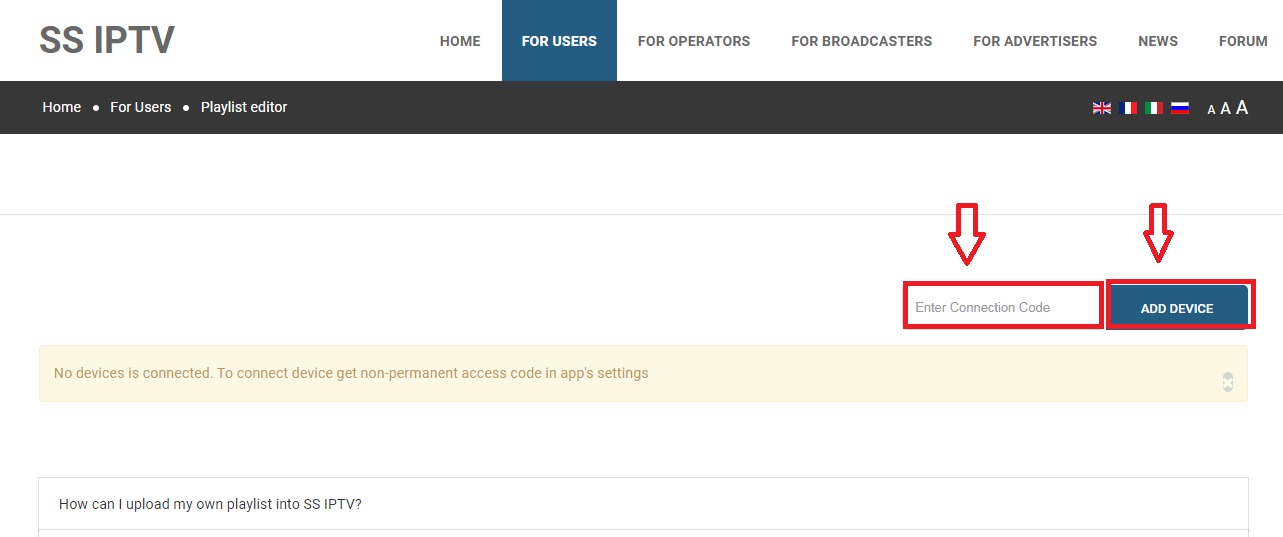
Visit https://ss-iptv.com/users/playlist on your computer. Enter the code and your M3U URL.
4
Load Channels
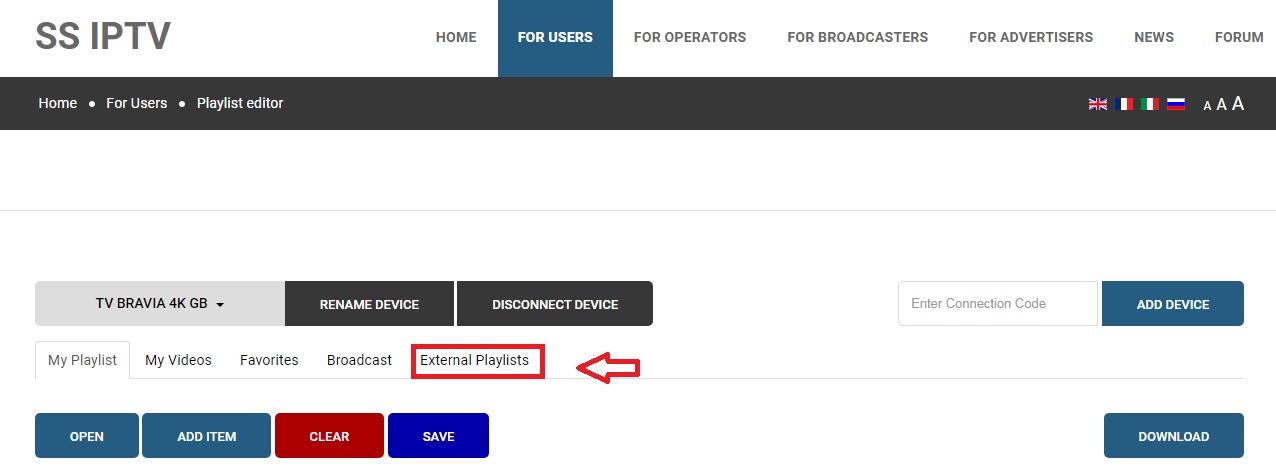
Go back to the app, select "External Playlists" and your channels will appear.
Setup Complete!
Your SS IPTV is now configured with Fox IPTV. Enjoy watching your favorite channels and content!
Need Help?
Our support team is available 24/7 to help you with the setup.
Quick Navigation




Don't Have a Subscription Yet?
Get started with a 24-hour free trial and experience premium IPTV on your SS IPTV.