
Formuler Z TV Box Setup Guide
Formuler boxes come with MyTVOnline app pre-installed, offering a premium IPTV experience with EPG and catch-up support.
5 minutes
Easy
Supported Devices: Formuler Z7+ Formuler Z8 Formuler Z10 Formuler GTV
Step-by-Step Instructions
1
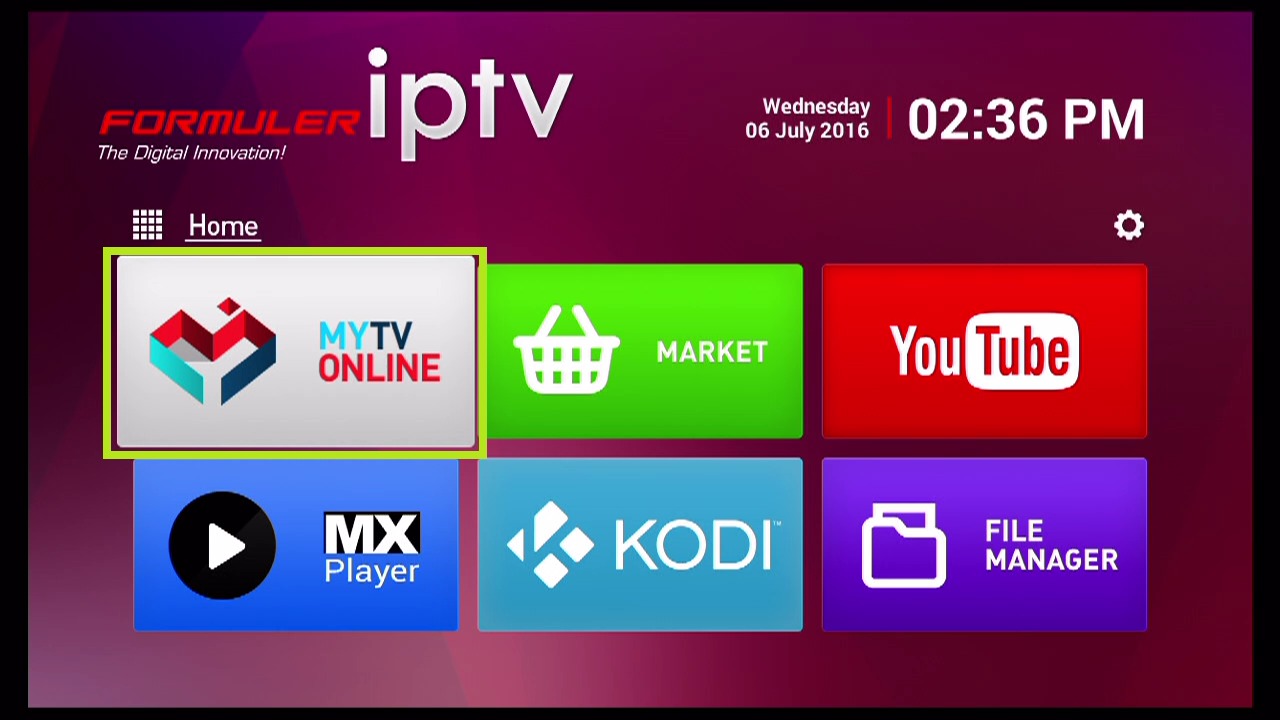
Open MyTVOnline
From the Formuler home screen, open the MyTVOnline or MyTVOnline2 app.
2
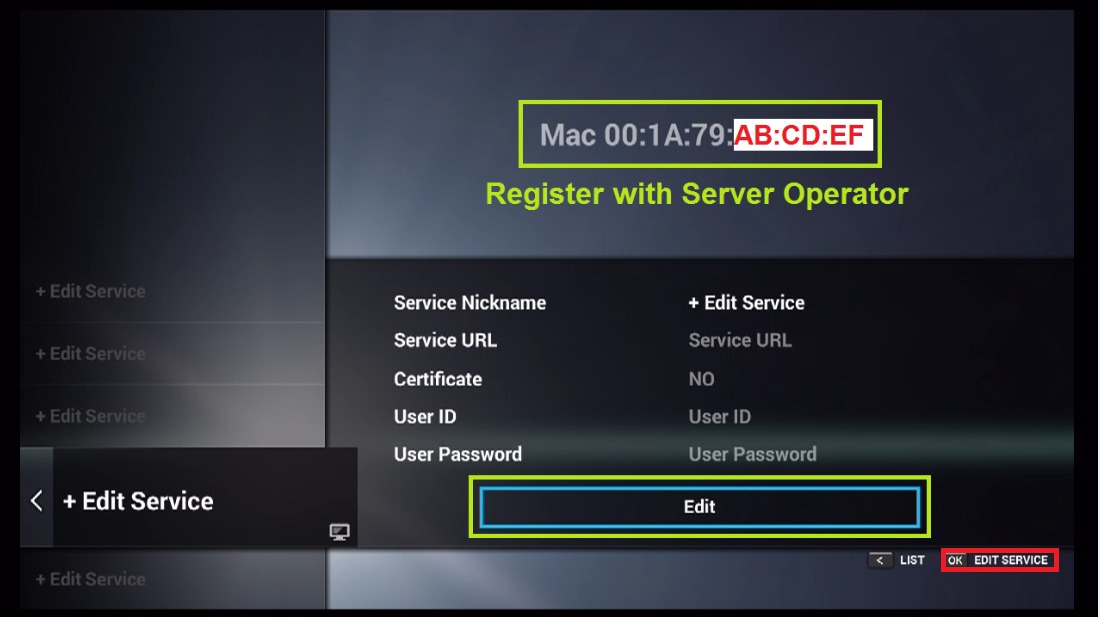
Add Portal
Press the menu button and select "Add Portal" or go to Settings > Portal.
3
Enter Portal Information
Choose "Stalker Portal" as the portal type. Enter "Fox IPTV" as the nickname and paste your portal URL.
4
Connect
Save the settings and select the portal to connect. Your channels will load automatically.
Setup Complete!
Your Formuler Z TV Box is now configured with Fox IPTV. Enjoy watching your favorite channels and content!
Pro Tips
- Formuler devices support both M3U and Portal connections
- Enable "Auto-start" in settings to boot directly into IPTV
Need Help?
Our support team is available 24/7 to help you with the setup.
Quick Navigation

Don't Have a Subscription Yet?
Get started with a 24-hour free trial and experience premium IPTV on your Formuler Z TV Box.