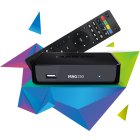
MAG Box Setup Guide
MAG boxes are some of the most robust streaming media players known for their speed, simplicity, and excellent streaming performance.
Step-by-Step Instructions
Access Settings
Power on your MAG device. From the main portal screen, press the "SETUP/SET" button on your remote control to access the settings menu.
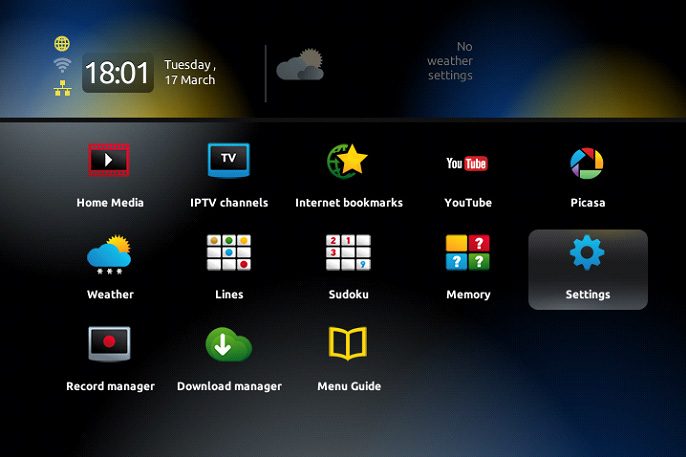
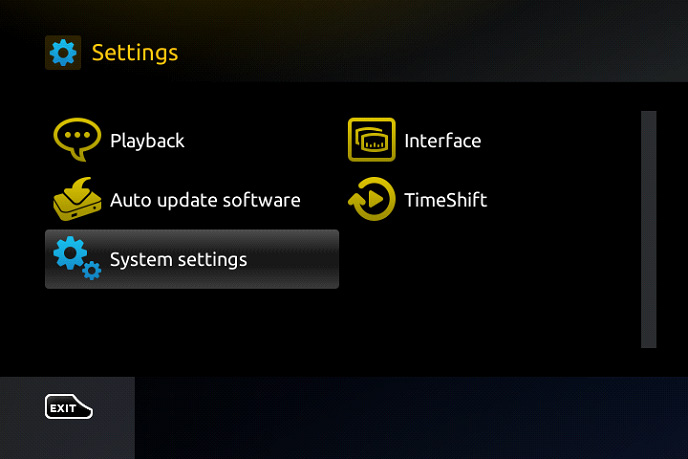
Navigate to System Settings
Select "System settings" from the menu, then choose "Servers" to access the portal configuration.
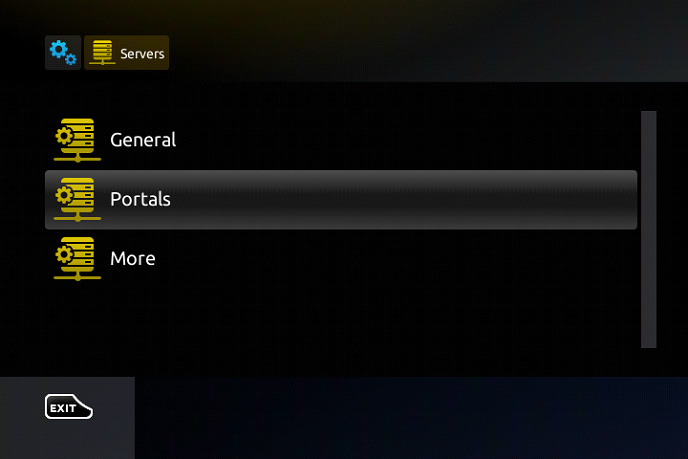
Select Portals
Choose "Portals" from the Servers menu to configure your IPTV portal settings.
Enter Portal Details
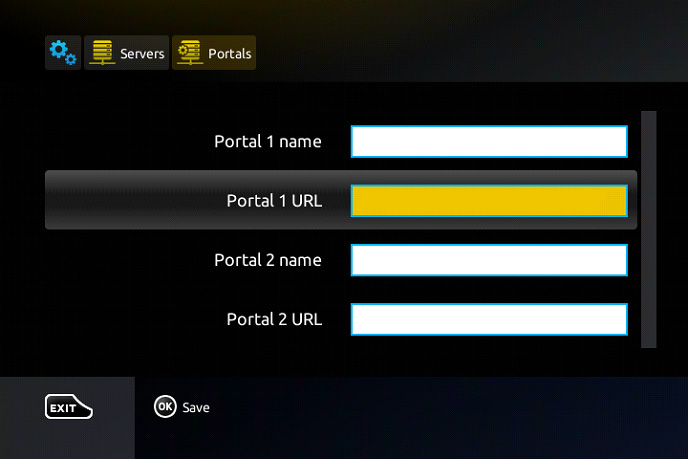
In the "Portal 1 name" field, type "Fox IPTV". In the "Portal 1 URL" field, enter the portal address provided in your welcome email.
Save and Restart
Press "OK" on your remote to save the changes. Exit the settings menu by pressing the back button twice, then restart your MAG device.
Setup Complete!
Your MAG Box is now configured with Fox IPTV. Enjoy watching your favorite channels and content!
Pro Tips
- Make sure your MAG device is connected to the internet via Ethernet for best performance
- Write down your MAC address (found in System Info) before contacting support
- If channels don't load, try restarting your device after 5 minutes
Need Help?
Our support team is available 24/7 to help you with the setup.




Don't Have a Subscription Yet?
Get started with a 24-hour free trial and experience premium IPTV on your MAG Box.