
STB Emulator Setup Guide
STB Emulator turns your Android device into a MAG set-top box, providing the same familiar interface and functionality.
Step-by-Step Instructions
Download STB Emulator
Download and install STB Emulator from the Google Play Store or sideload the APK on your Android device.
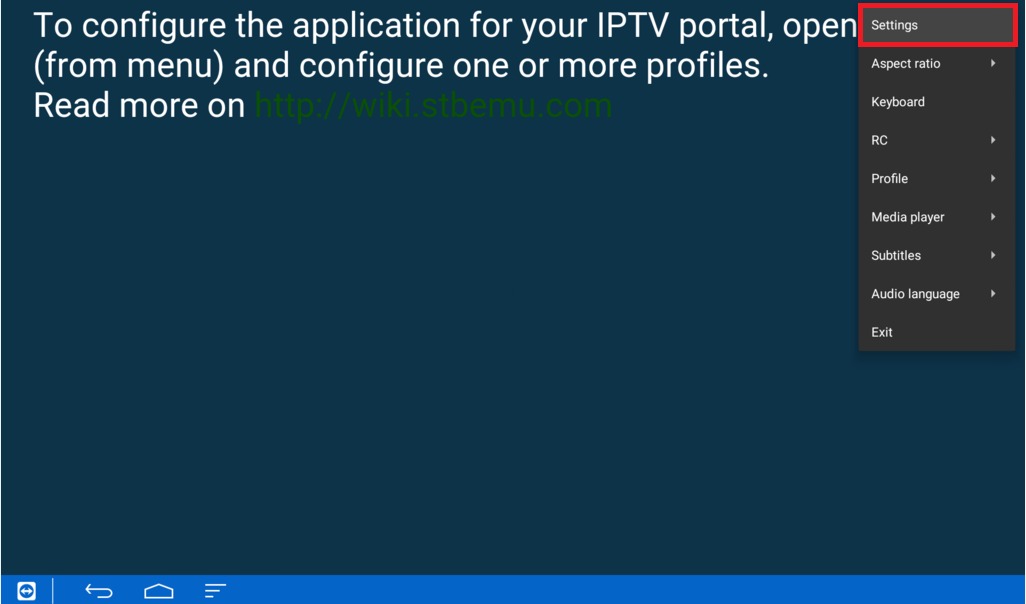
Open the App
Launch STB Emulator. On first run, you'll see a portal configuration screen.
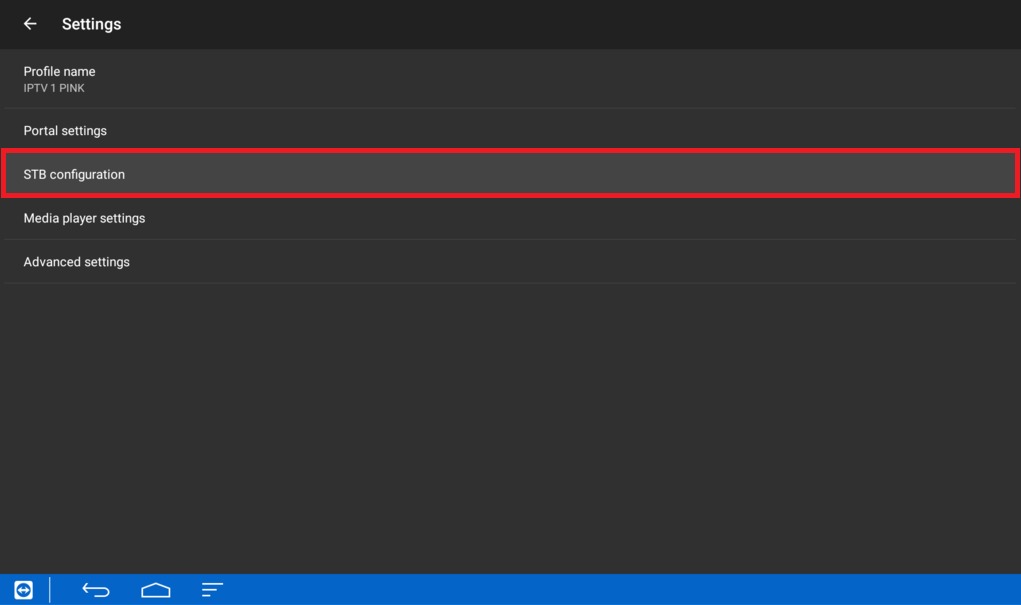
Add New Portal
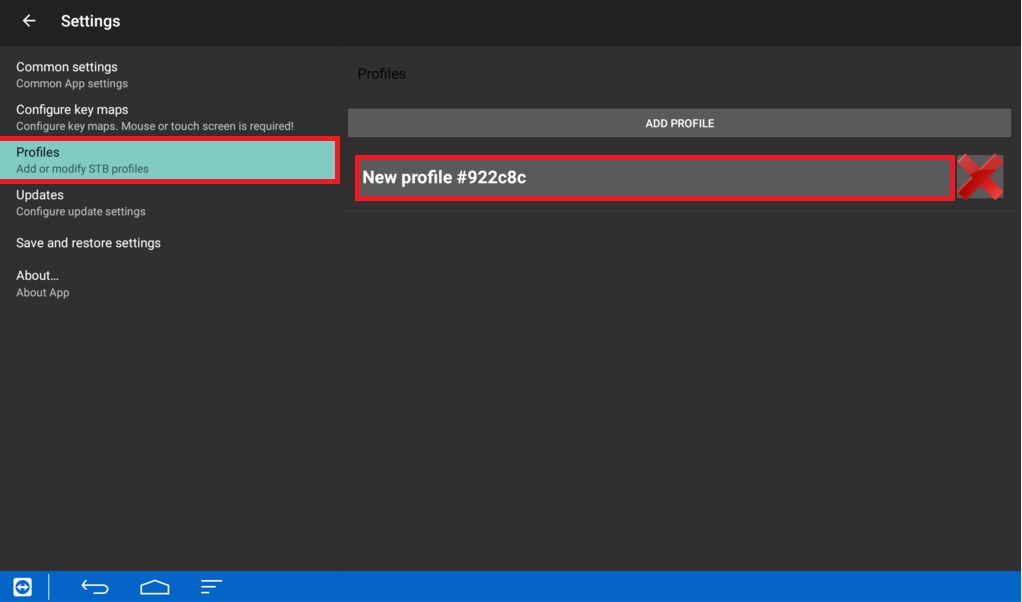
Tap on "Add Portal" or access settings by pressing the menu button on your remote.
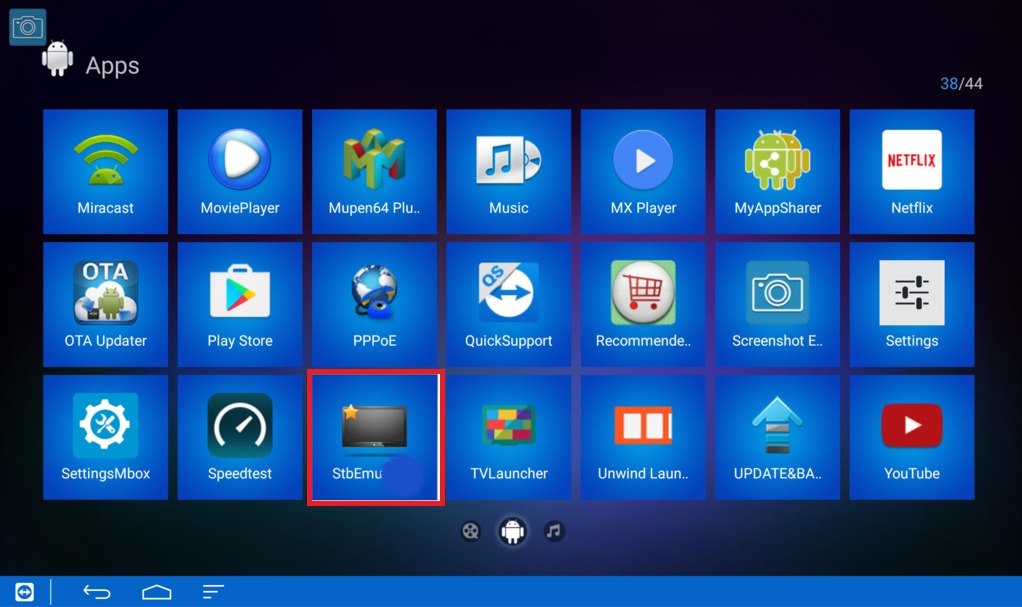
Configure Portal
Enter "Fox IPTV" as the portal name and paste the portal URL from your welcome email.
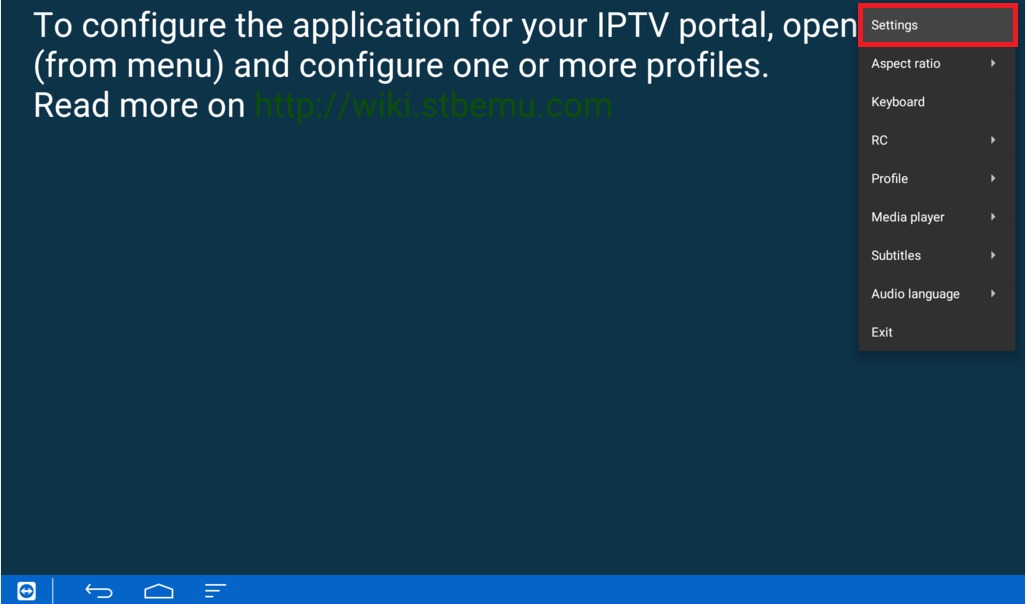
Save and Connect
Save the settings and select the portal. The app will connect and load your channel list.
Setup Complete!
Your STB Emulator is now configured with Fox IPTV. Enjoy watching your favorite channels and content!
Pro Tips
- Use the Pro version for additional features and better performance
- The MAC address is generated by the app - provide this when contacting support
Need Help?
Our support team is available 24/7 to help you with the setup.


Don't Have a Subscription Yet?
Get started with a 24-hour free trial and experience premium IPTV on your STB Emulator.