
TVIP Box Setup Guide
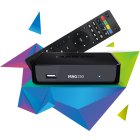
TVIP boxes are premium Linux-based set-top boxes with excellent performance and portal support.
5 minutes
Easy
Supported Devices: TVIP S-Box v.410 TVIP S-Box v.412 TVIP S-Box v.605
Step-by-Step Instructions
1
Access Settings
From the main menu, navigate to Settings using your remote.
2
Go to Portal Settings
Select "System Settings" then "Portal Settings".
3
Configure Portal
Enter your portal URL in the Portal 1 URL field.
4
Save and Reboot
Save the settings and reboot your TVIP box to apply changes.
Setup Complete!
Your TVIP Box is now configured with Fox IPTV. Enjoy watching your favorite channels and content!
Need Help?
Our support team is available 24/7 to help you with the setup.
Quick Navigation



Don't Have a Subscription Yet?
Get started with a 24-hour free trial and experience premium IPTV on your TVIP Box.